A fast response is often the one your application never has to generate.
HTTP caches can answer requests from stored responses. That saves network time, reduces origin traffic, and gives your server fewer requests to process.
The behavior is not magic. A cache makes three decisions: which stored response matches, whether it is fresh, and whether it may be reused.
This article builds those decisions into one practical mental model.
The browser, shared cache, and origin
A request can pass through more than one cache before reaching your application.
A browser cache is private. It stores responses for one user agent. A CDN or reverse proxy is a shared cache because it can reuse one response for many users.
The origin is the server responsible for the resource. It creates a response when no usable stored response exists.
Browser → shared cache → originEach cache evaluates the response under HTTP rules and its own configuration. A browser hit does not contact the CDN. A CDN hit does not contact the origin.

A cache first needs the right response
Before checking age, a cache must find a stored response that matches the request.
The request method and target URI form the starting point. For ordinary GET requests, different paths or query strings normally identify different resources.
GET /products?page=1
GET /products?page=2
Those requests must not accidentally share the same page of results.
The origin can add request headers to the selection rule with Vary. This response says that compressed and uncompressed representations are different:
Vary: Accept-EncodingA cache may reuse that stored response only when the new request's nominated header values match the original request.
This lookup identity is commonly called the cache key. CDNs may support custom keys, but removing a value is safe only when that value cannot change the response.
Never ignore a cookie, authorization value, locale, or device signal while still varying the response by it. Doing so can serve the wrong representation—or another user's data.
Fresh and stale are about age
A stored response has an age. Its freshness lifetime says how long it may normally be reused without checking the origin.
While the response is within that lifetime, it is fresh. After the lifetime passes, it is stale.
Stale does not mean deleted or incorrect. It means the cache cannot normally reuse the response without validation or explicit permission to serve stale content.
The Age response header reports how long a response has been held in caches along the path, in seconds. It is useful when debugging shared-cache behavior.
max-age and s-maxage
max-age gives a response a freshness lifetime in seconds.
Cache-Control: max-age=300For five minutes, an eligible cache may reuse the response without contacting the origin.
s-maxage sets the lifetime for shared caches and overrides max-age there. Private caches still use max-age.
Cache-Control: max-age=60, s-maxage=3600The browser can reuse this response for one minute. A compliant shared cache can keep it fresh for one hour.
These directives define freshness, not invalidation. If the resource changes early, you need a purge mechanism, a versioned URL, or a shorter lifetime.
public and private
private tells shared caches not to store the response. A private browser cache may still store it if the other directives allow that.
Cache-Control: private, max-age=60This can suit a user-specific dashboard that the user's own browser may reuse briefly.
public explicitly permits caching even when the response would otherwise be ineligible, such as a response to a request carrying Authorization.
That makes public a security decision, not decorative documentation. Use it only when the response is genuinely identical and safe for different users.
Public responses do not always need the word public. Many ordinary GET responses with explicit freshness are already cacheable under HTTP rules.
For personalized or permission-dependent responses, prefer private or no-store. Do not rely on a CDN noticing that the body looks personal.
no-cache is not no-store
The names are easy to misread.
no-cache allows storage, but the stored response must be successfully validated before reuse.
Cache-Control: no-cacheThis can save bandwidth when validation proves the content unchanged.
no-store tells private and shared caches not to store the request or response.
Cache-Control: no-storeUse it when retaining the response is unacceptable, such as for highly sensitive data. It is stronger than merely forcing a check before reuse.
Neither directive erases copies already stored before the new policy was deployed. Purging old shared entries and changing URLs may still be necessary.
Validators: ETags and conditional requests
Validation asks the origin whether a stored representation is still current.
An ETag is an opaque identifier chosen by the server for a representation. The client should return it exactly; it should not infer meaning from its contents.
HTTP/1.1 200 OK
ETag: "product-list-v7"
Cache-Control: no-cache
On the next request, the cache sends a condition:
If-None-Match: "product-list-v7"If the selected representation still has that tag, the server can return 304 Not Modified without sending the body again.
HTTP/1.1 304 Not Modified
ETag: "product-list-v7"
The cache then updates its stored metadata and reuses the body it already has. If the tag changed, the origin sends a new response and body.
Last-Modified and If-Modified-Since provide time-based validation. ETags can distinguish changes more precisely when timestamps are too coarse or unavailable.
Validation still makes a network trip. It saves response bytes and generation work, but it is slower than serving a fresh response locally.
stale-while-revalidate
Sometimes a slightly old response is preferable to making a user wait.
stale-while-revalidate grants a window in which a cache may serve a stale response while it revalidates in the background.
Cache-Control: max-age=60, stale-while-revalidate=300For 60 seconds, the response is fresh. During the next 300 seconds, a supporting cache may return the stale copy immediately and start revalidation.
Once revalidation completes, later requests receive the updated response. Concurrent requests can avoid all waiting on the same origin fetch.
Support and exact request-collapsing behavior vary by cache. Treat stale delivery as an allowed behavior, not a timing guarantee.
Framework features may use their own cache stores and invalidation systems. For example, Next.js revalidation is not merely this response directive with a different name.
The complete lifecycle
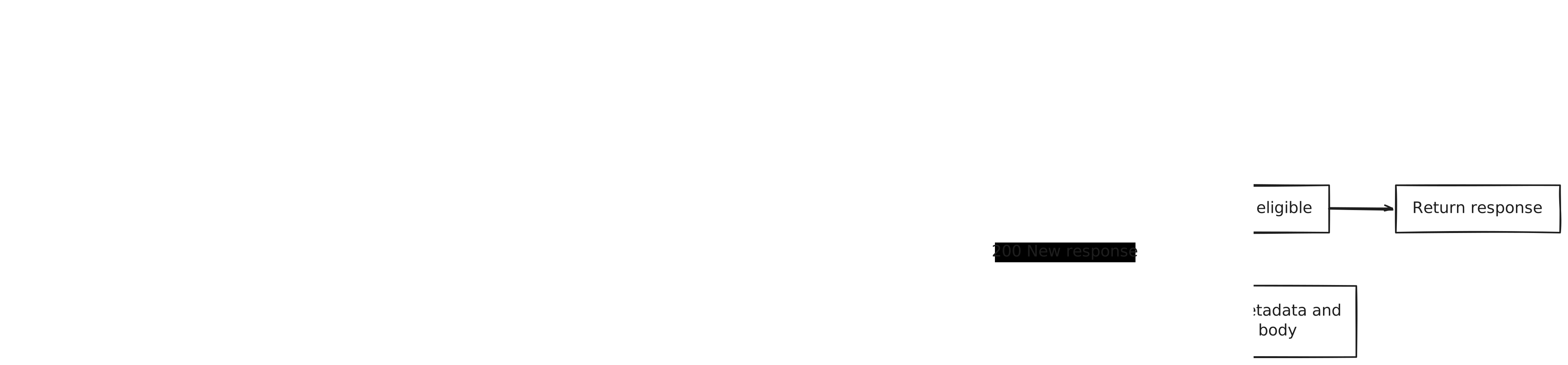
Put the pieces together for GET /catalog:
- The cache builds or evaluates the cache key.
- No entry means a miss, so the request continues toward the origin.
- The origin returns a response with caching metadata.
- An eligible cache stores the response.
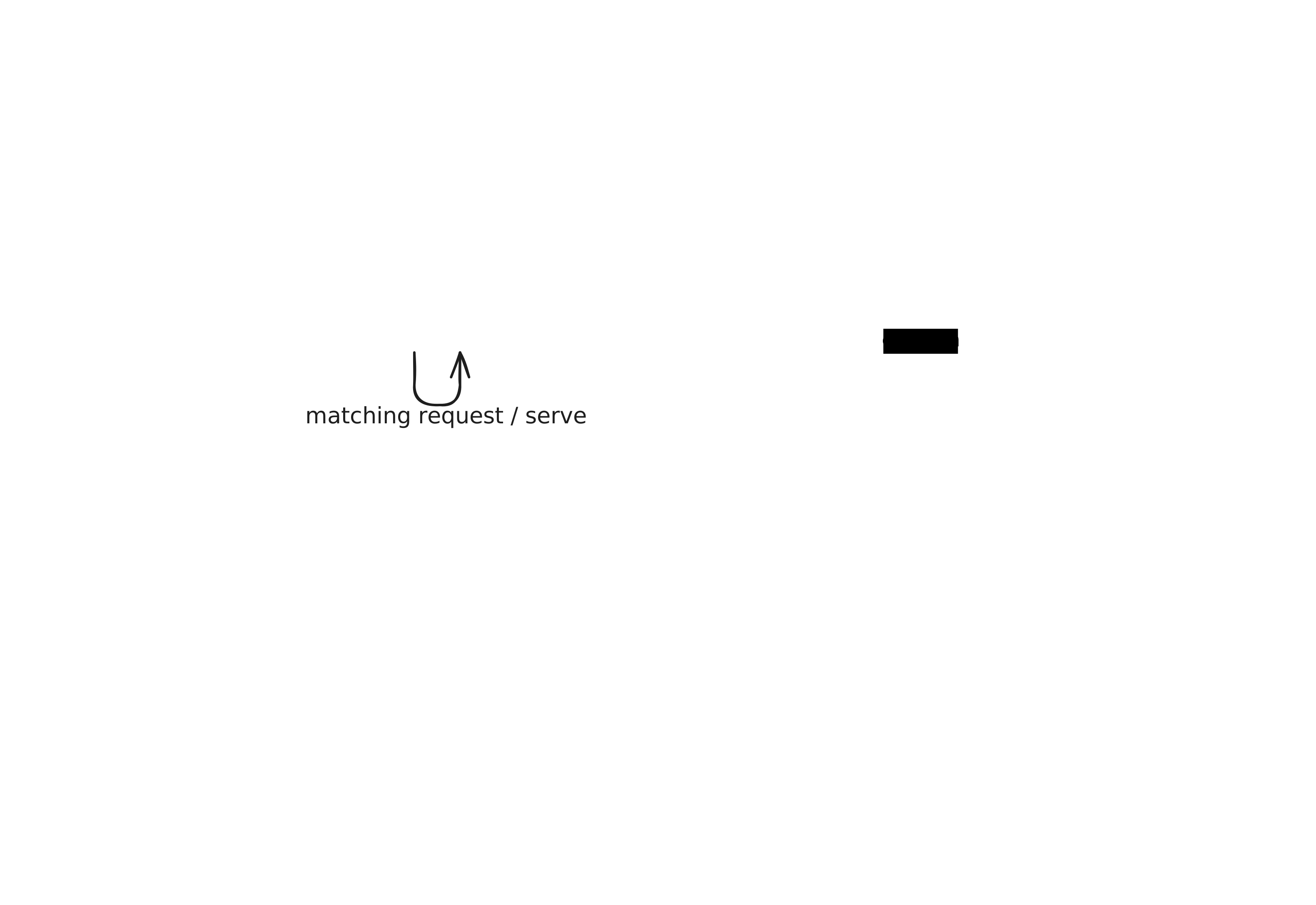
- Matching requests reuse it while it is fresh.
- Once stale, the cache validates it or serves it only when stale use is allowed.
- A
304keeps the stored body; a new200replaces it.

Avoiding personalized-data leaks
Caching bugs are dangerous because a perfectly fast response can still belong to the wrong person.
Before allowing shared caching, ask whether authentication, cookies, headers, location, experiments, or permissions can change any byte or meaningful header in the response.
If they can, either keep the response out of shared caches or include the relevant input in the cache selection rules. The safer default for user-specific data is private or no-store.
Do not put secrets in URLs. URLs appear in cache keys, logs, browser history, analytics, and referrer data.
Test as two users. A cache configuration is incomplete until you prove that one user's response cannot satisfy the other's request.
Key takeaways
- A cache first selects a matching response, then checks whether it may be reused.
- The URI, method, and
Varyheaders shape response selection. max-agecontrols freshness;s-maxageoverrides it for shared caches.privateblocks shared storage, whilepubliccan explicitly allow it.no-cachemeans validate before reuse;no-storemeans do not store.- ETags make validation conditional and can avoid sending an unchanged body.
stale-while-revalidatetrades bounded staleness for lower latency.- Personalized data requires conservative cache rules and isolation tests.
What comes next
HTTP caching absorbs repeated reads before they reach your application. Requests that do reach a serverless function can still multiply rapidly.
The next article follows that fan-out to a resource that does not scale in the same way: database connections.